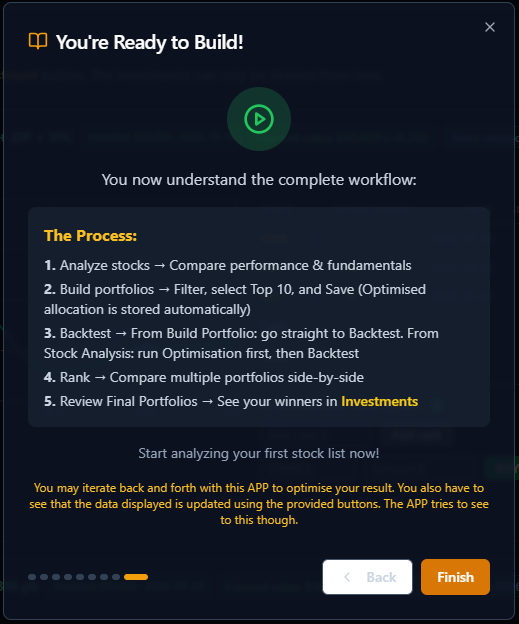
A look inside PortfolioBuilder: the welcome tour, the five stages from Stock Analysis to Final Portfolios, and the Investments page. Click a picture to enlarge it.
screenshots/TutorialA.PNG
What makes PortfolioBuilder uniqueThe welcome page: find your best portfolios fast, compare stocks and lists, and see how the best stocks perform.
screenshots/Tutorial0a.PNG
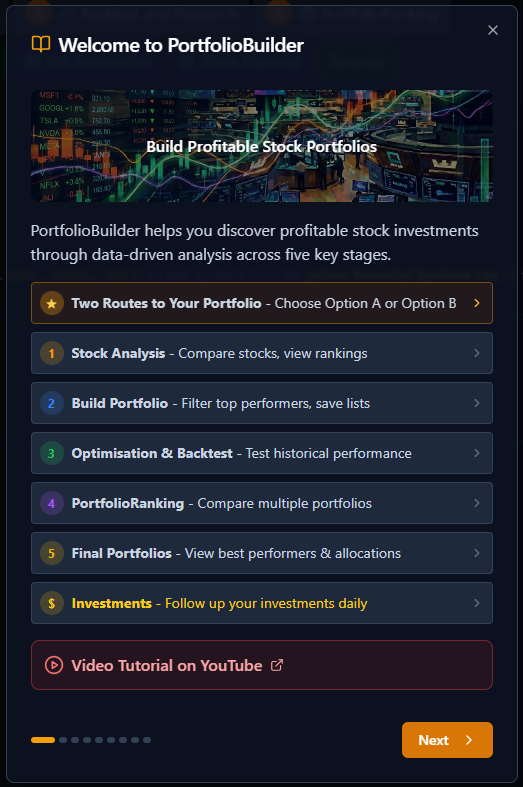
Welcome to PortfolioBuilderThe guided tour overview: the five key stages and the Investments page.
screenshots/Tutorial0.PNG
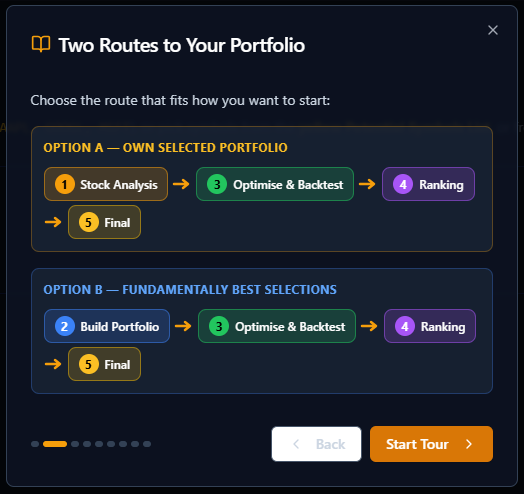
Two routes to your portfolioOption A — your own selected portfolio. Option B — fundamentally best selections.
screenshots/Tutorial1.PNG
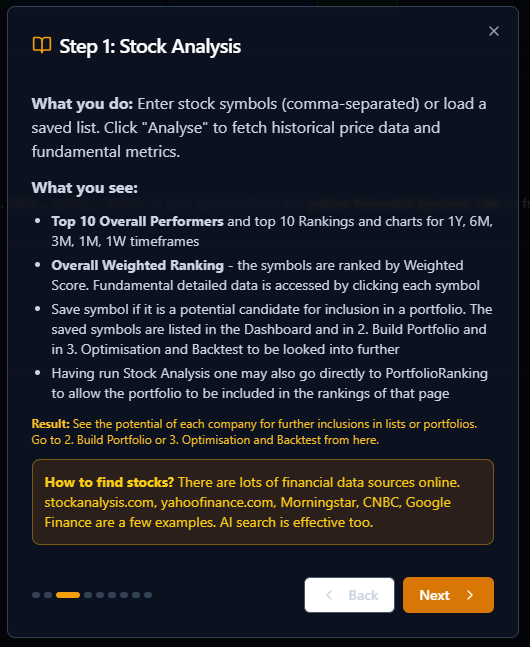
Step 1: Stock AnalysisEnter symbols or load a saved list, then compare rankings and charts for 1Y, 6M, 3M, 1M and 1W.
screenshots/Tutorial2.PNG
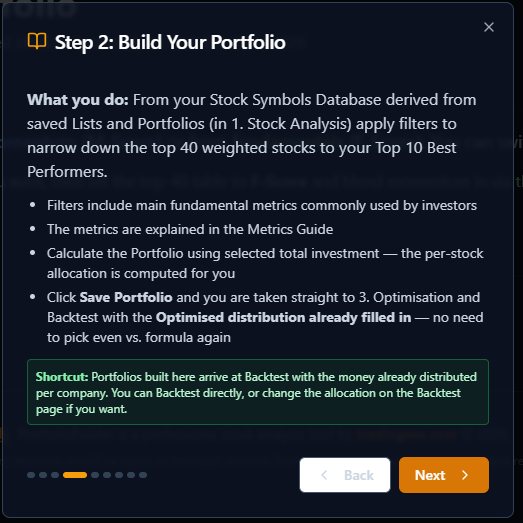
Step 2: Build Your PortfolioApply filters to narrow the top 40 weighted stocks to your Top 10 best performers.
screenshots/Tutorial3.PNG
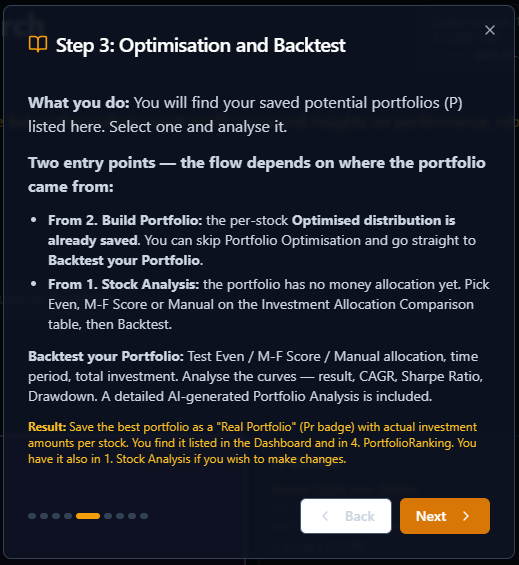
Step 3: Optimisation and BacktestTest Even, M-F Score or Manual allocation and analyse CAGR, Sharpe Ratio and Drawdown.
screenshots/Tutorial4.PNG
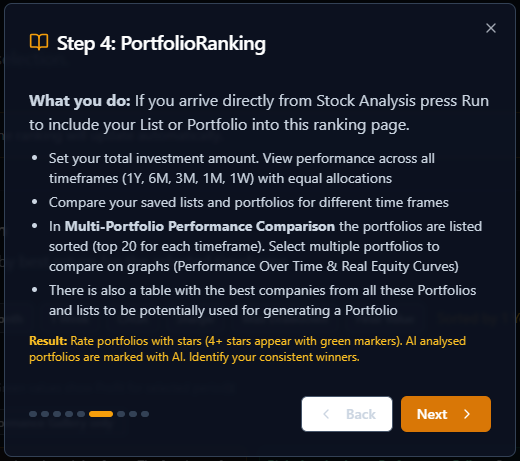
Step 4: PortfolioRankingCompare portfolios and lists across timeframes and rate your consistent winners.
screenshots/Tutorial5.PNG
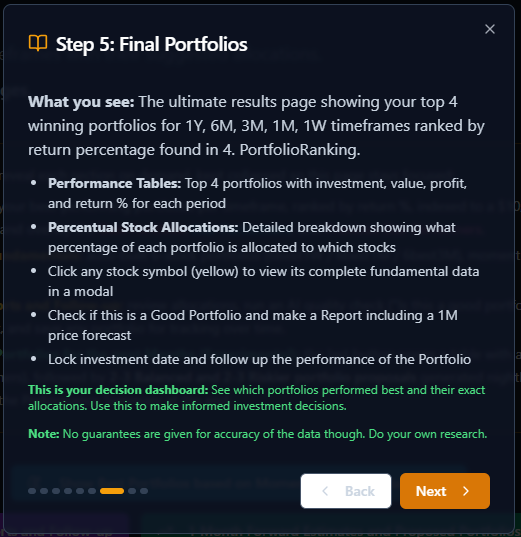
Step 5: Final PortfoliosThe top 4 winning portfolios per timeframe with exact stock allocations.
screenshots/Tutorial6.PNG
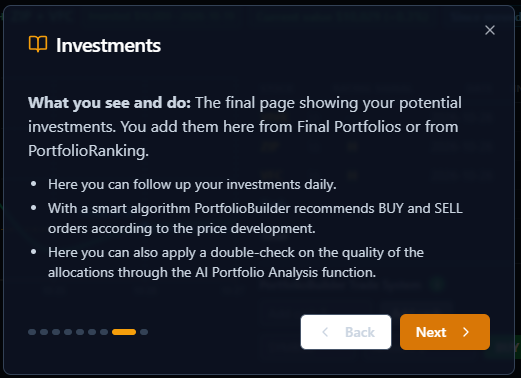
InvestmentsFollow your investments daily with smart BUY and SELL recommendations and AI Portfolio Analysis.
screenshots/Tutorial7.PNG
You're ready to buildThe complete workflow in five steps.